

I got on the beta tester list for Olive Tree’s iPhone/iTouch Bible Reader app. As such, I’ve been able to play with the software as it morphs from it’s initial app store release. I’ve been impressed at the changes that have been made, but I didn’t want to write another review until one of two things happened:
- Olive Tree set it up so users could have their own library of books.
- Greek and Hebrew support went “live” for the beta testers.
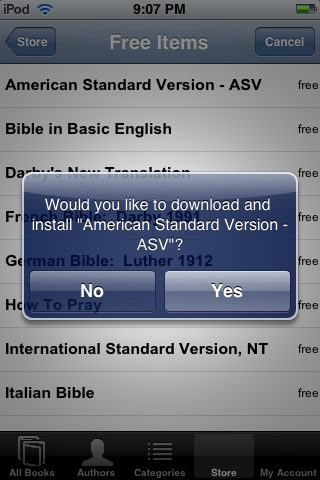
Well, I can happily say that personal libraries are now present beta release, and I was privileged to be shown a screen shot of what Hebrew support is going to look like on the iPhone/iTouch. Folks, you will be pleased, I am literally drooling over how Hebrew looks in the screenshot.
The new version’s UI differs some from the current release in the App Store, apparently from some work the gang at Olive Tree did with Apple’s “UI Evangelist.” The browser-like bar is gone from the top of the screen, which has been replaced by two buttons – one for selecting a book out of your library and the other to open the verse chooser (which has remained unchanged from earlier releases). The three dots at the bottom of the screen have been replaced with a typical “i” button to open preferences. One of the nice things is that this preference button is easy to access, I don’t know why but I seem to have problems with that button in a lot of apps). The ability to placebookmarks in the current book is also accessible from a button at the bottom of the screen, which is found next to the search button. The improvements to the UI are well done, though I’m lookingfoward to see how Olive Tree implements the excellent “split screen” function that is common to their app on other platforms.

The app does take a bit to load, I’m looking forward to seeing load times drop as bit as code continues to get tweaked. On the other hand, while there still is no auto-scrolling, the responsiveness of the app to swiping seems to be much more responsive. Olive Tree is also implementing some advanced search features in the app, which I have yet to play with. I am confident that I will play with the search features, however, as developers have smartly included search documentation along with the application. It’s a move I appreciate.
One question has been nagging me since the Bible Reader has been released in the App store with the “bundle” concept, “How are they going let users who purchased bundles keep using those Bibles when personal libraries are activated?” It’s a good question, and I’m glad to say that Olive Tree have made sure their users aren’t left out in the cold. In the preferences, users are able to set up their olive tree user account. Once that’s done, they need only to hit the “register books” button to have their bundled Bibles be activated in the new version. The way I read it, the Bibles will need to be downloaded from Olive Tree before they are usuable – but it’s a nice touch and I appreciate it.
This is an app I actually look forward to using, and I can’t wait for folks to get their hands on it.

Discover more from Painfully Hopeful
Subscribe to get the latest posts sent to your email.

I have already downloaded the free app from iTunes and so far I love what I see. I can’t wait for the Beta app to be released. Do you have any idea when this will be? I already use Olive Tree on my Nokia E61 but my experience is nothing compared with that my Ipod Touch.
Looks good!
AFAIK the Beta is not in beta but has actually been submitted to the app store for review. I checked tonight and noticed that the screen-shot for the free app has been updated to reflect the new UI – but the actual version for download is the first release.
Look for it very soon.
Still no Greek/Hebrew, though 😦
Question. I want to download the family pack so I can get the TNIV. My favorite version. How will the update happen when the new version is available? Do I need to repurchase? It will happen automatically? Thank you.
Jerry, here’s the situation as far as I know. The beta version I reviewed here is currently awaiting approval from Apple. Once it’s up, again as I use it, the books from your current bundles will be detected and registered with the Olive Tree store, though I do think you will have to re-download them.
Sorry for being thick I’m just trying to decide whether to purchase and download this morning or wait. If I purchase this morning, it sounds like from you comment, and I understand the caveat, that i can re-download to get the latest update, the update will detect my bundle and i wont have to pay twice. Sound right?
Jerry, yup – that’s what I believe will happen.
Jerry,
You won’t have to pay twice for the update. When you buy the TNIV from iTunes the update will allow you to register the TNIV to your Olive Tree account. This will allow you to use the TNIV with any of the iPhone BibleReaders without having to pay for it again.
Stephen
Software Engineer
Olive Tree Bible Software